Delete your account
We're sad to see you go, but no hard feelings! Here's how to delete your Notion account 🗑
ข้ามไปยังคำถามที่พบบ่อยWhen you delete your account:
The action is permanent. You might want to export any data that you want to keep after you delete the account.
Any private workspaces in which you were the only member will be deleted.
Any shared workspaces in which you were the only admin will be deleted.
Any deleted workspaces will be deleted for everyone in them. This means all users who were part of a workspace before it was deleted will no longer have access to that workspace or any content inside that workspace.
You’ll be removed from any shared workspaces in which you were a member or one of multiple admins.
You won’t be able to access any content from workspaces that are deleted or that you are removed from — even your private pages.
You’ll see a warning about which of your workspaces will be deleted when you try to delete your account.
To delete your account:
Go to
Settingsin your sidebar →{your name}.Select
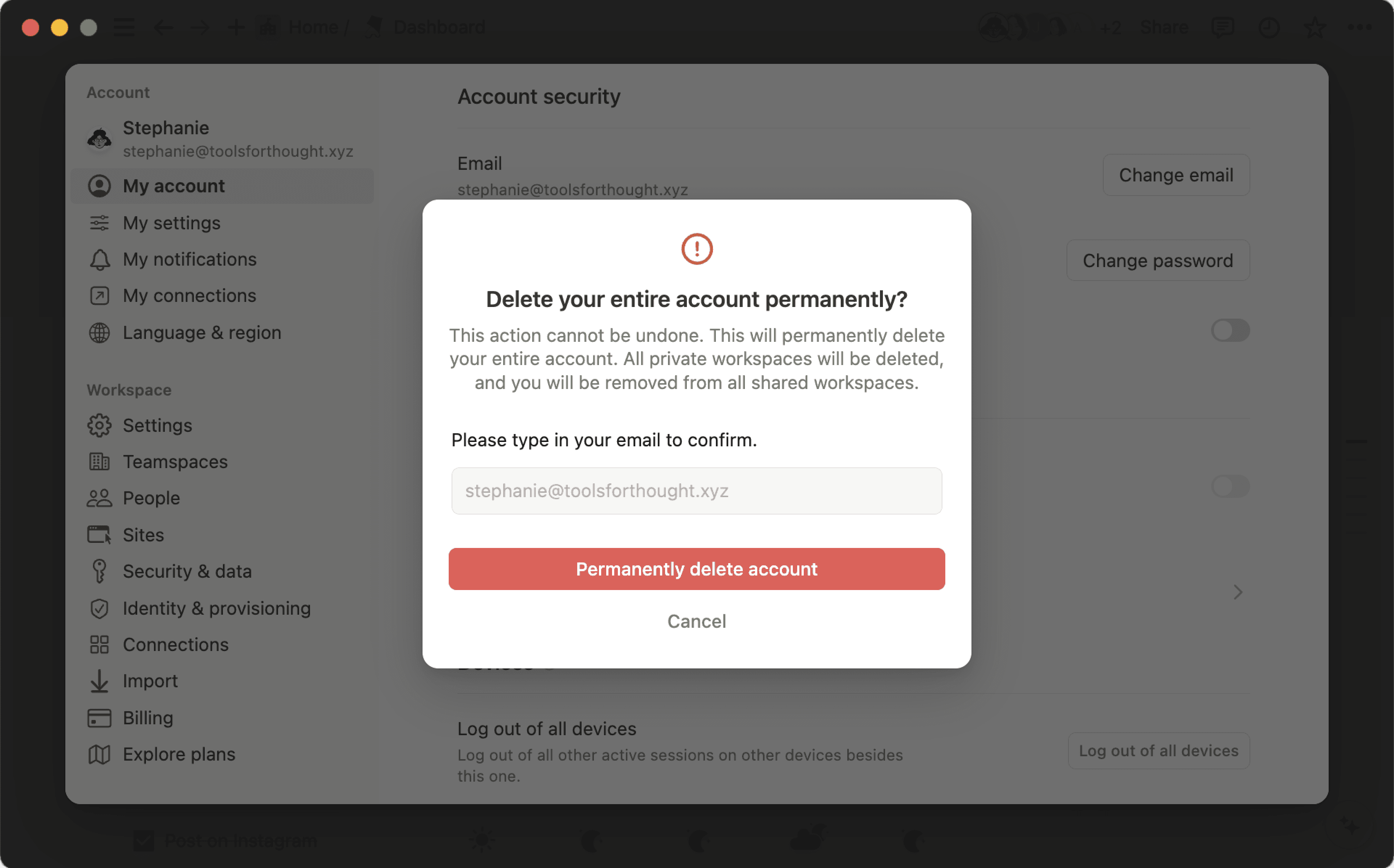
Delete my account.A window will pop up to confirm which of your workspaces will be deleted along with your account. To proceed, manually enter your account email. Then, click
Permanently delete account and {#} workspaces.

Note: Deleted something by accident? We may be able to restore your content within 30 days of deletion. Contact us at [email protected] with more details.
คำถามที่พบบ่อย
ถ้าฉันเผลอลบบางอย่างไปโดยถาวร จะทำอย่างไร? มีวิธีเอากลับคืนมาไหม?
ถ้าฉันเผลอลบบางอย่างไปโดยถาวร จะทำอย่างไร? มีวิธีเอากลับคืนมาไหม?
หากคุณลบหน้า พื้นที่ทำงาน หรือแม้แต่ทั้งบัญชีโดยไม่ได้ตั้งใจ เราก็ช่วยคุณได้! อุบัติเหตุเกิดขึ้นได้ 😅 เพียงส่งข้อความถึงเราในแอพ โดยคลิก ? ที่ด้านล่างซ้ายบนเดสก์ท็อป (หรือในแถบด้านข้างบนมือถือ) หรือส่งอีเมลถึงเราที่ [email protected]
เรามีการสำรองฐานข้อมูลไว้ ซึ่งจะช่วยให้คืนค่าเนื้อหาของคุณในช่วง 30 วันที่ผ่านมาได้หากคุณต้องการ
How can I migrate all my Notion content to a different workspace?
How can I migrate all my Notion content to a different workspace?
Note: Any migrated content will be duplicated to the new workspace and these pages sometimes have issues. For more information, click here.
To move your content from one workspace to another associated with the same account, click ••• next to each of the top-level pages in your sidebar (or right click) and select Move to. At the bottom of the move menu, you’ll see a drop down to select a different workspace.
When you move top-level pages, all their sub-pages go with them. They'll appear in the Private section but can be moved wherever you want to put them.